Tailored writing
The AI writes your pages with your brand voice. A plan first, then each page one by one — you stay in control at every step.
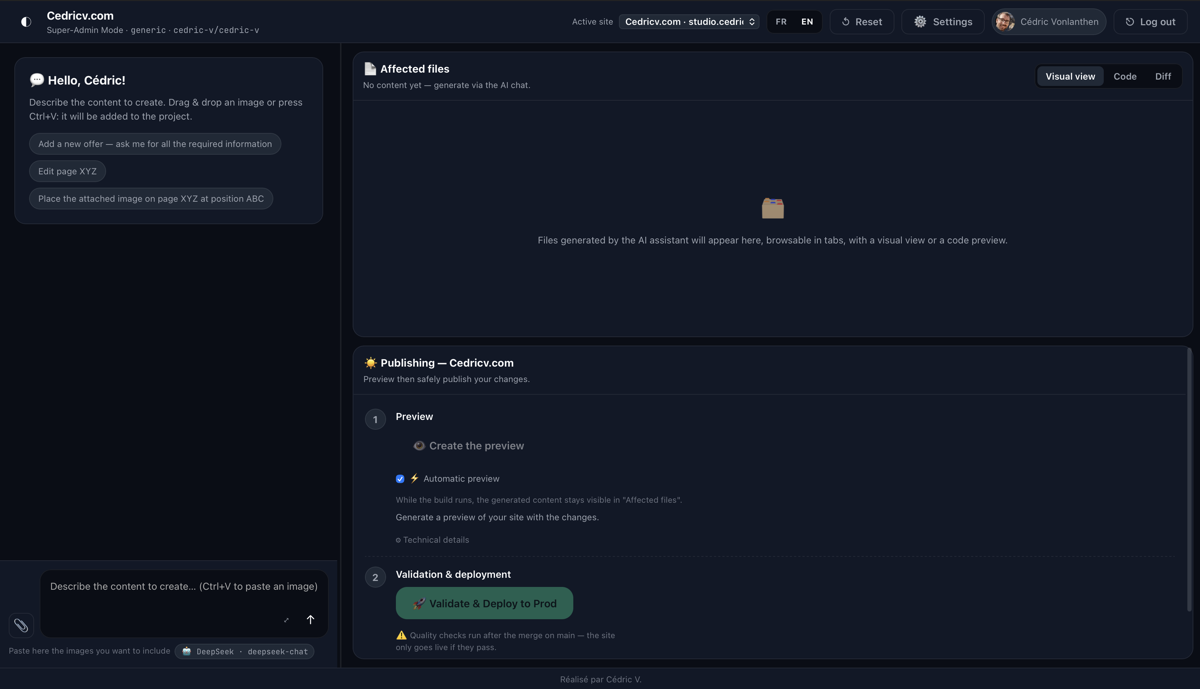
Studio Clarté is an AI content studio for your website. The AI writes your pages, you review them, and they go live — safely.
No vague promises: a concrete workspace where every word that goes online is reviewed and approved by you.
The AI writes your pages with your brand voice. A plan first, then each page one by one — you stay in control at every step.
Your team's own workflows live in your repo (a skill per task — for example “add an offer” generates the exact file set) and activate only when you ask for them. Other clients never see them.
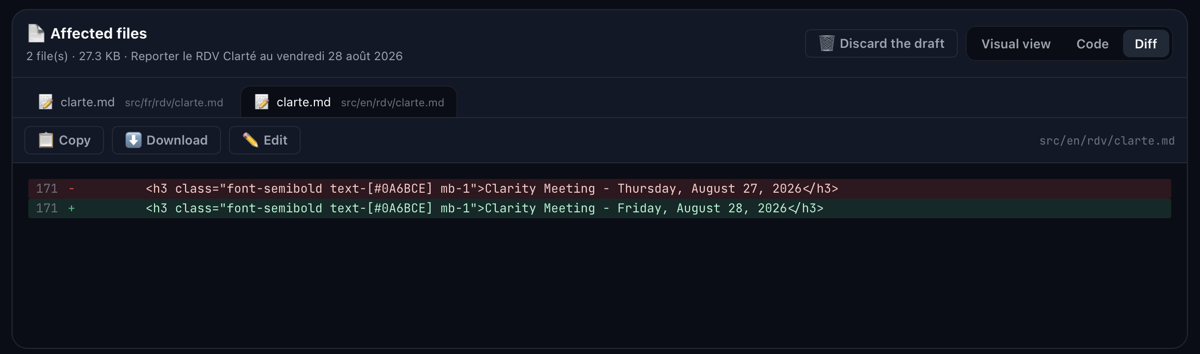
Edit the copy, compare the old and new versions, fix the images. The machine proposes, the human decides.
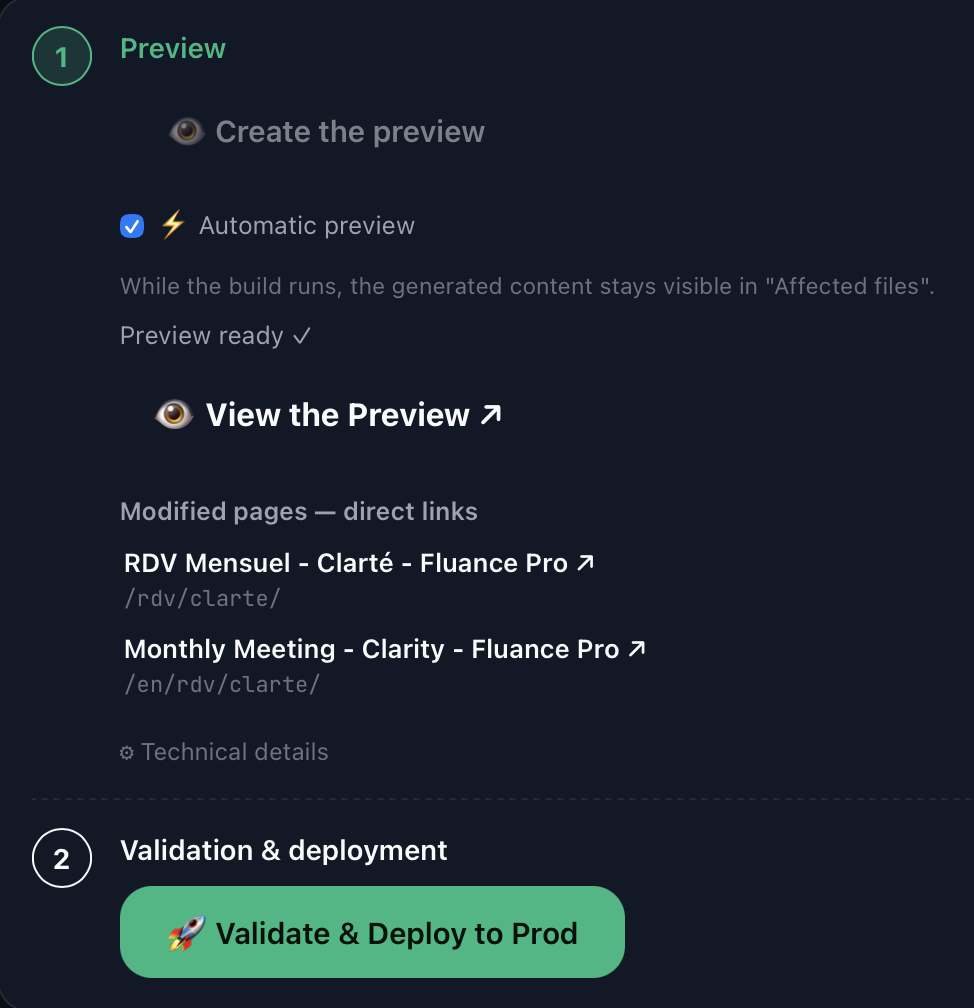
Every change gets a private preview URL, on your own site's infrastructure. You see the exact result before anything goes live.
Publishing goes through a pull request: nothing ever goes live directly without your explicit approval.
| 🗂️ CMS editors (Decap, PagesCMS…) |
💬 AI chat (ChatGPT, Claude…) |
🏗️ Studio Clarté | |
|---|---|---|---|
| Edit existing files | ✅ | ❌ | ✅ + the AI reads them (listFiles / readFile) |
| Generate content with AI | ❌ | ✅ but copy-paste manually | ✅ multi-page (plan → one call per file, no truncation) |
| Human review before publishing | ✅ | ❌ | ✅ integrated editor (Tab/YAML-aware, ⌘S) |
| Preview before going live | depends | ❌ | ✅ Cloudflare preview URL (Pages or GitHub Actions) |
| One-click publish | ✅ (repo push) | ❌ | ✅ draft draft/* + PR → validate & deploy |
Zero risk on main |
sometimes | — | ✅ never commits directly — always branch + PR |
| Multi-tenant white-label | ❌ | ❌ | ✅ one subdomain per client, Super-Admin switcher |
| Client-owned storage/costs | ❌ | — | ✅ images on the client's R2 (or in git) |
| Rollback / undo publish | ✅ | ❌ | ✅ restore any previous version |
In short: CMS editors give you editing, chat AIs give you generation — but neither gives you the safe pipeline in between. Studio Clarté connects both.
“Write the services page” or “update the appointment date” — in plain language.
It analyzes your site, drafts a plan, then each page, respecting your style guide and tone.
Every file shows a clear diff: what changes appears in green, what disappears in red. You can edit if needed.
A private preview link shows the site exactly as it will look after publishing.
One click: the proposal is submitted, checked, and deployed. Nothing goes live without you.
The workspace shows your name and logo. Your clients only see your studio.
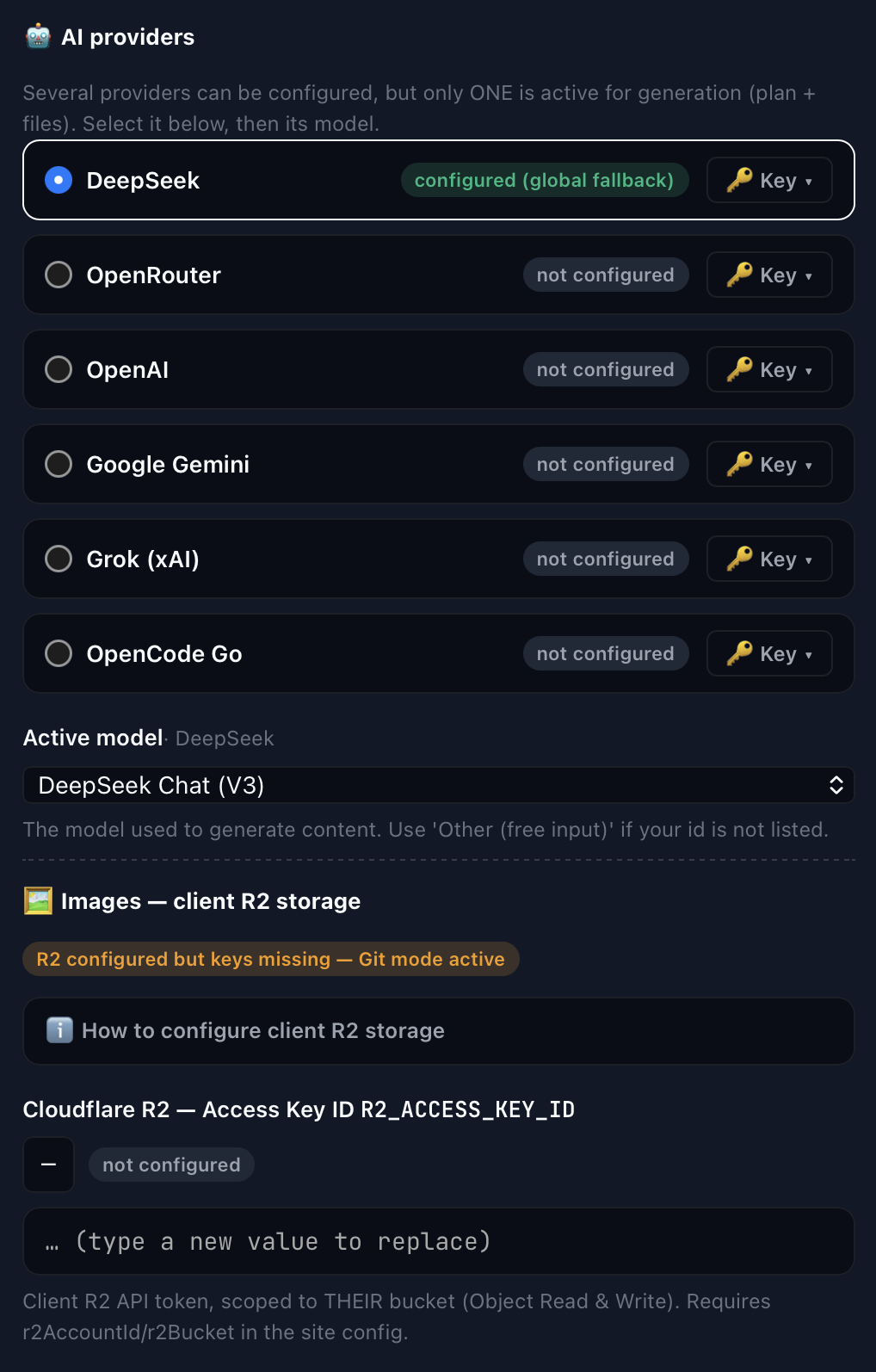
Every client uses their own environment: isolated, encrypted keys, their own files — and their own AI provider & model, chosen per site in ⚙️ Settings.
Pull-request architecture: no commit can reach your production site without human approval.
Studio Clarté writes and edits content files (Markdown, JSON, YAML) through pull requests — it never executes code or runs a shell. Builds and previews run on your own CI.
Each page is generated in its own model call, within the model's output limit. Very long documents are planned as several files — never silently truncated.
The preview is built by your existing CI (Cloudflare Pages or GitHub Actions) and surfaced in the studio. The studio itself doesn't render pages.
The studio is open source and free to self-host. Prefer to let us run it for you? Managed hosting is billed per site, per year — and your client can pay the bill directly.
Free
The full studio on your own infrastructure. No lock-in, BSD 3-Clause.
CHF 99 / site / year
We host, update and secure the studio for you. Your brand, your domain.
Need help with installation or setup? An optional CHF 300 package is available, whatever tier you choose.
Studio Clarté is a one-person project, designed and built by Cédric. Discover more of his work on his personal site: cedricv.com.
Self-host for free — the studio is open source (BSD 3-Clause). Or let us run it for you, billed per site, per year.